Invoice Software Details
About the Software (Invoice Software)
Invoice Software is an innovative, standalone solution designed for businesses of all sizes to simplify their invoicing process. Unlike traditional platforms, it operates fully independently, storing all invoice data locally, ensuring complete control and privacy. Users benefit from automated calculations, easy customization, and a seamless user experience. Whether you run a small business or a larger enterprise, Invoice Software adapts to your needs, offering flexibility, precision, and a polished billing process.
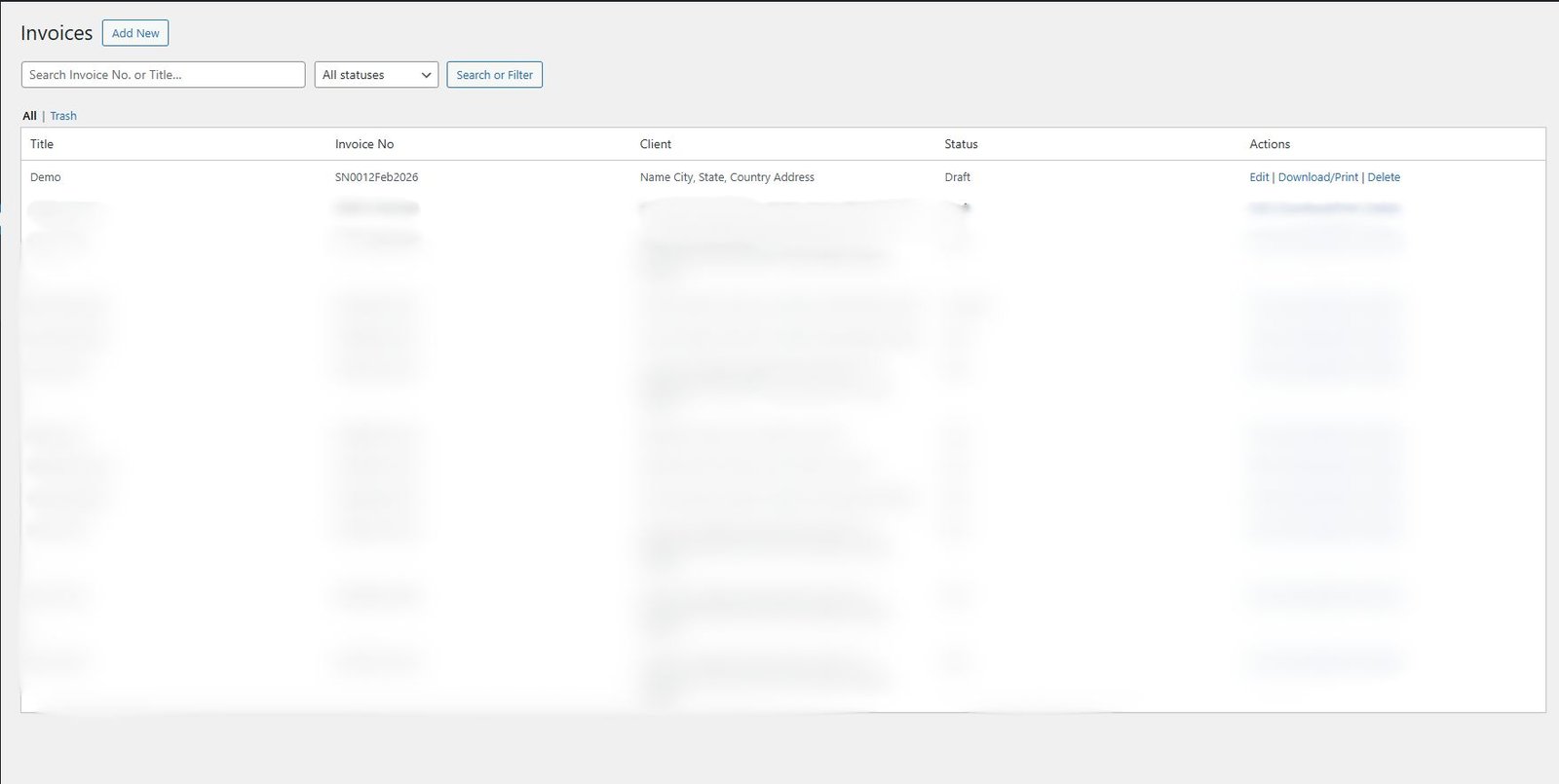
Invoice List
The Invoice List page is a comprehensive dashboard that displays all of your invoices in a structured, easy-to-navigate table. Each row provides a snapshot of key details: the invoice title, unique invoice number, client name, status (such as Draft, Sent, Paid, or Overdue), and action options (Edit, Download, Delete). With a search bar, users can quickly find specific invoices by number or title, and the status filter allows them to narrow down results based on progress. This page ensures complete visibility and efficient invoice management.
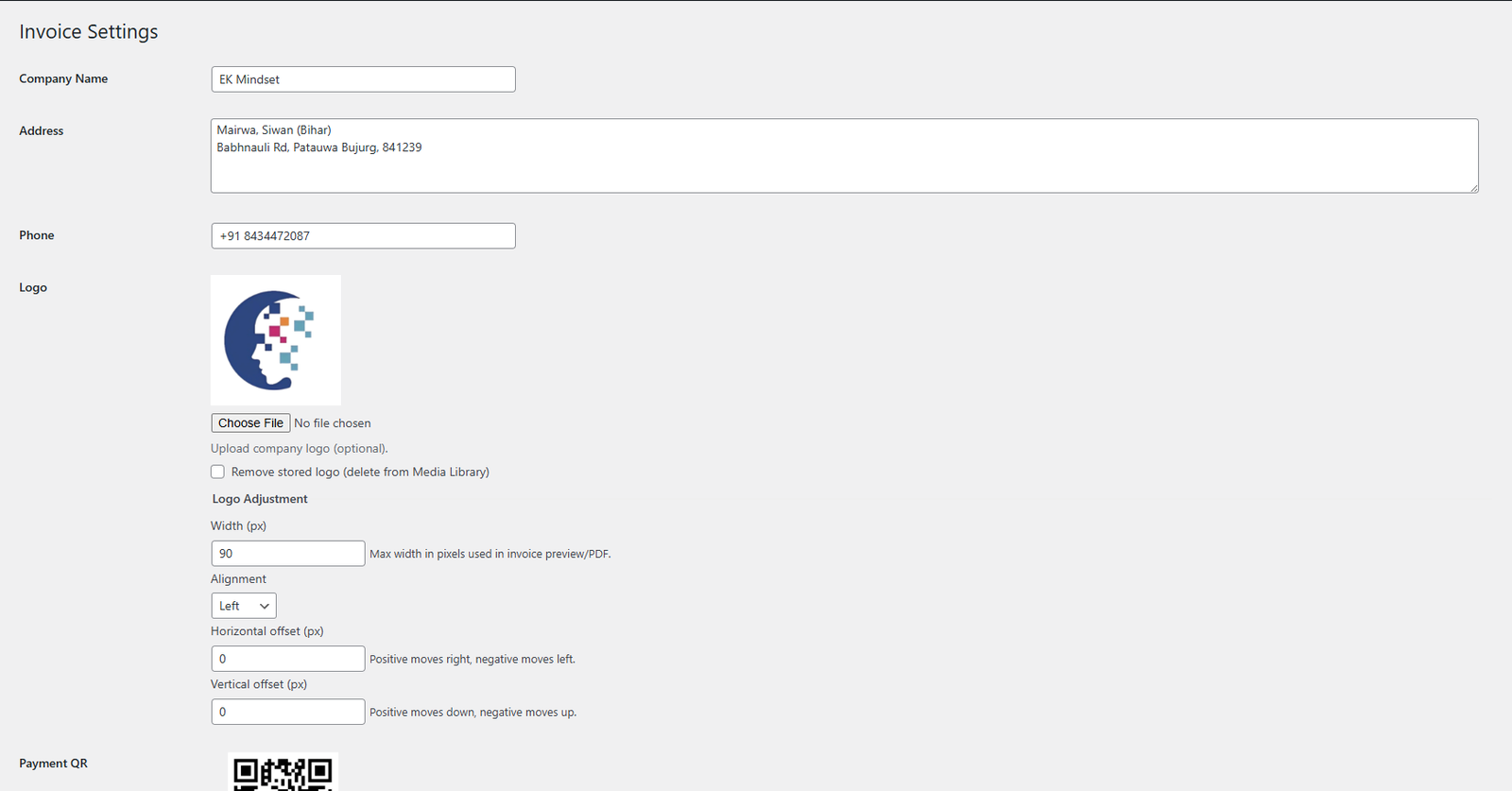
Settings Page
The Settings Page is a powerful customization center, enabling users to tailor their invoices to reflect their brand identity. Users can enter their company name, address, phone number, and upload a company logo. Additionally, they can add a payment QR code for seamless transactions. The page offers precise layout control: users can adjust logo dimensions, alignment, and vertical or horizontal offsets. Moreover, all labels—such as title, project, due date, and service descriptions—can be fully customized. This flexibility ensures every invoice aligns perfectly with the company’s branding and operational needs.
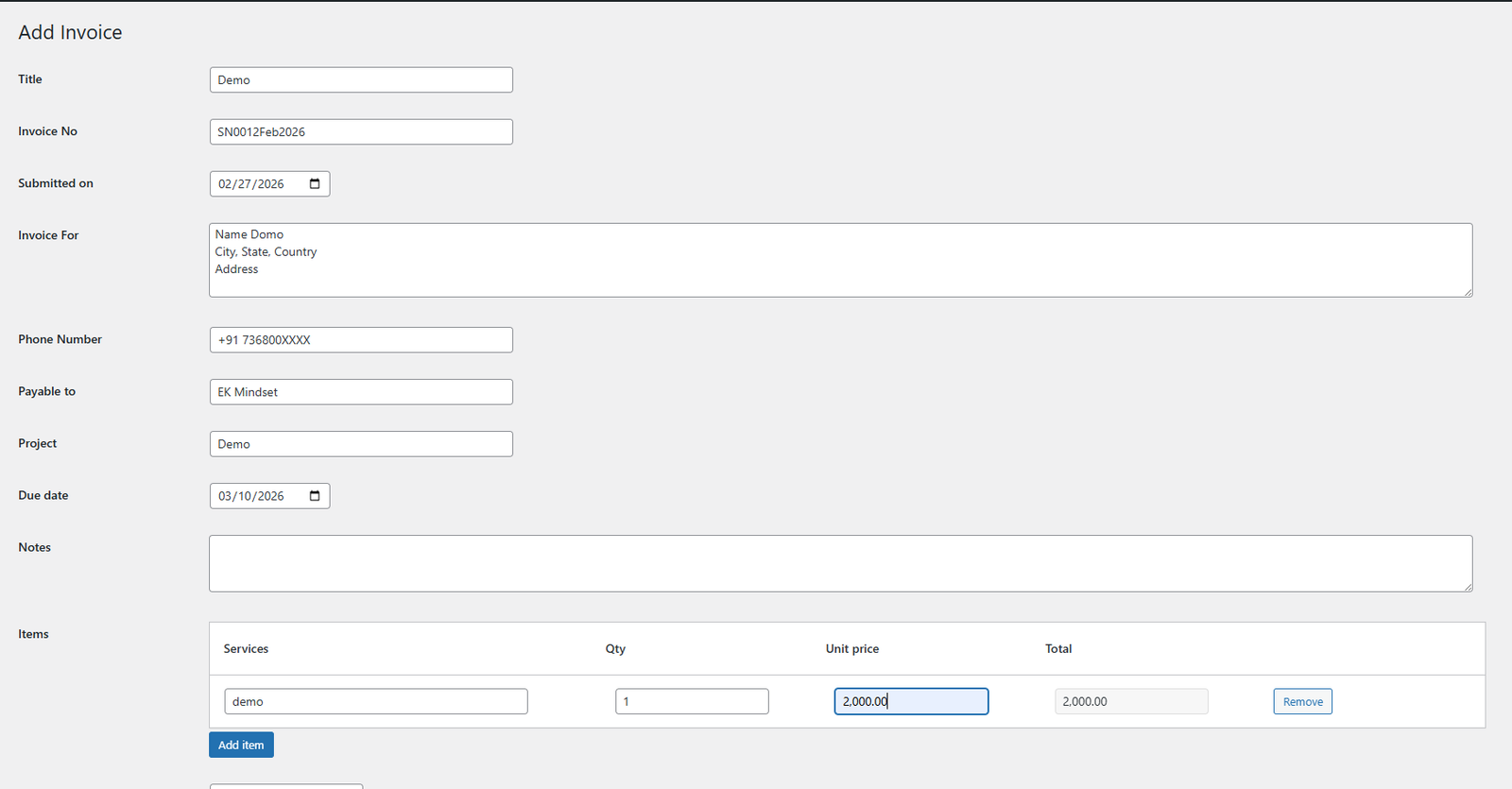
Add New Invoice
The Add New Invoice interface is a user-friendly form that guides you through creating a new invoice from start to finish. Each field is intuitive: you enter the invoice title, client name, phone number, project details, due date, and additional notes. Users can add multiple line items, specifying service descriptions, quantities, and unit prices. As soon as these values are entered, the total is automatically calculated. An invoice number is auto-generated for uniqueness, and users select a status (e.g., Draft, Sent, Paid). Once all fields are completed, users can either save the invoice or preview it before finalizing.
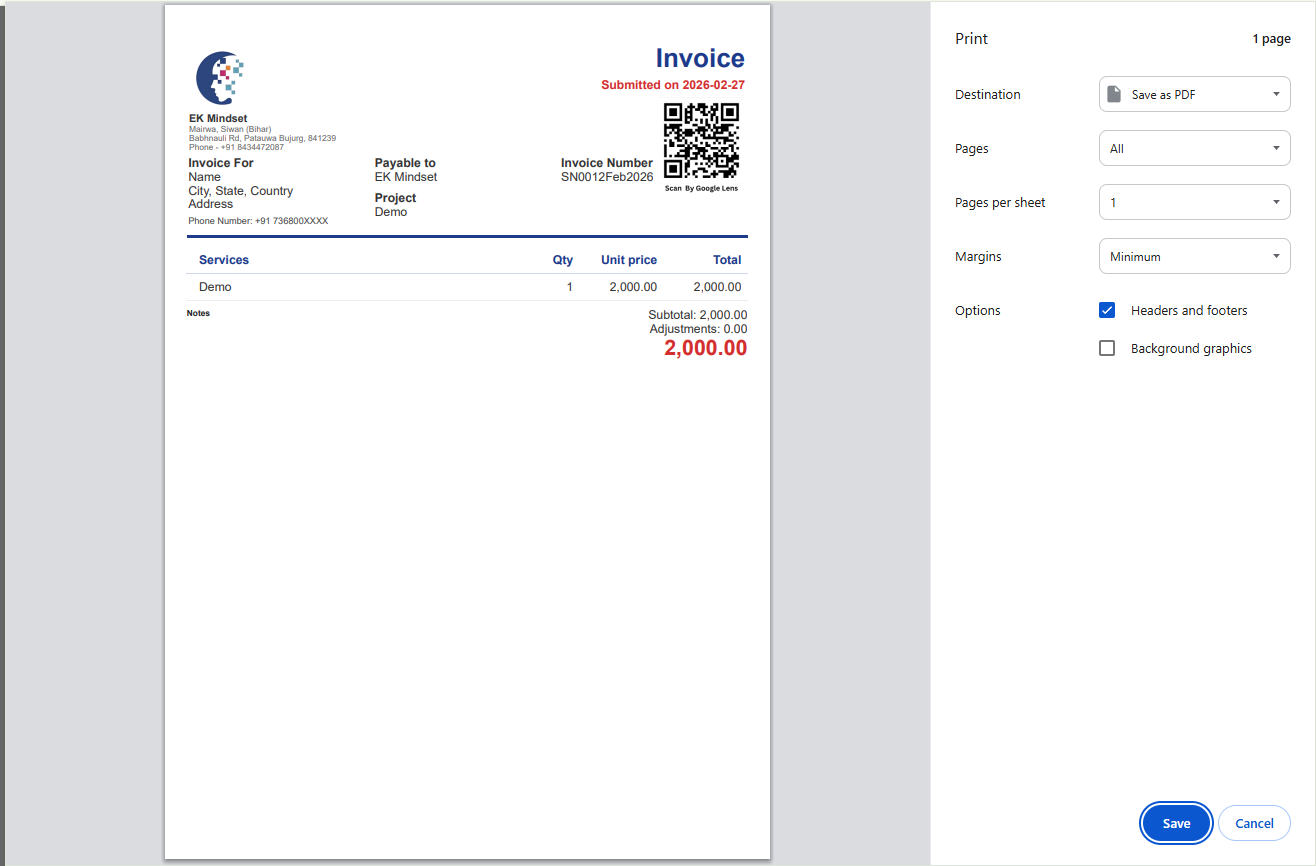
Invoice PDF
The Invoice PDF is a beautifully structured document that provides a professional snapshot of the entire transaction. It features the company’s branding—name, address, phone number—alongside the client’s details, project, and due date. A clear breakdown of services, quantities, unit prices, and totals is presented. Adjustments, if any, are deducted from the total, and the overall amount is prominently displayed in bold. The inclusion of a scannable QR code further facilitates instant payments, making the invoice both elegant and functional.